QR Inventory barcode and QR-code tracking app
This project archive records the earlier QR Inventory mobile and web system AHG described for inventory and asset tracking. Workers could scan a QR code or UPC barcode to record transactions, while the web area handled items, labels, fields, counts, and reports.
Replace separate inventory paperwork and handheld scanners
The earlier QR Inventory source described small-business teams that needed to identify inventory and assets, record movement with a phone, and review counts and usage without a separate mobile computer.
What AHG built for the earlier QR Inventory system
AHG built connected Android and iOS applications plus a web area. The mobile side scanned a QR code or UPC barcode and recorded transactions; the web area managed items, generated labels, defined custom fields, and presented counts and usage reports.
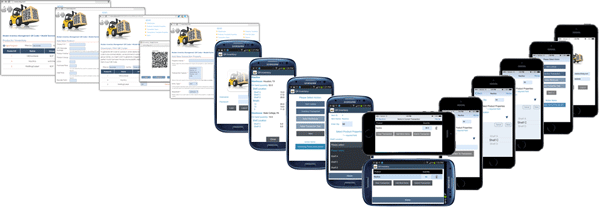
How the archived mobile and web workflow worked
- 01 Set up the item The web area held the available item, transaction types, tracked properties, and label information.
- 02 Scan in the workplace A worker used a phone to scan the QR code or UPC barcode on the item or package.
- 03 Record the transaction The mobile application collected the configured inventory or asset movement details.
- 04 Review the record The web area showed available counts, usage information, custom-field filters, and reports.
Keep the archive separate from current product information
This page records the earlier QR Inventory project description and retained screens. It supports the mobile, web, scan, transaction, label, custom-field, count, and report facts summarized here.
It does not define current features or pricing. See the current QR Inventory product page for present product information.
Talk through the work
Discuss a current custom software project
Tell us what your crew needs to capture. We will help map the current process and the next practical step.